A peer-to-peer study app that makes collaboration feel natural and rewarding.
collaborative app that turns study habits into shareable, interactive experiences. Built entirely in Figma from concept to prototype, StudySync makes learning more social and motivating.
Turning two separate ideas into one meaningful product.
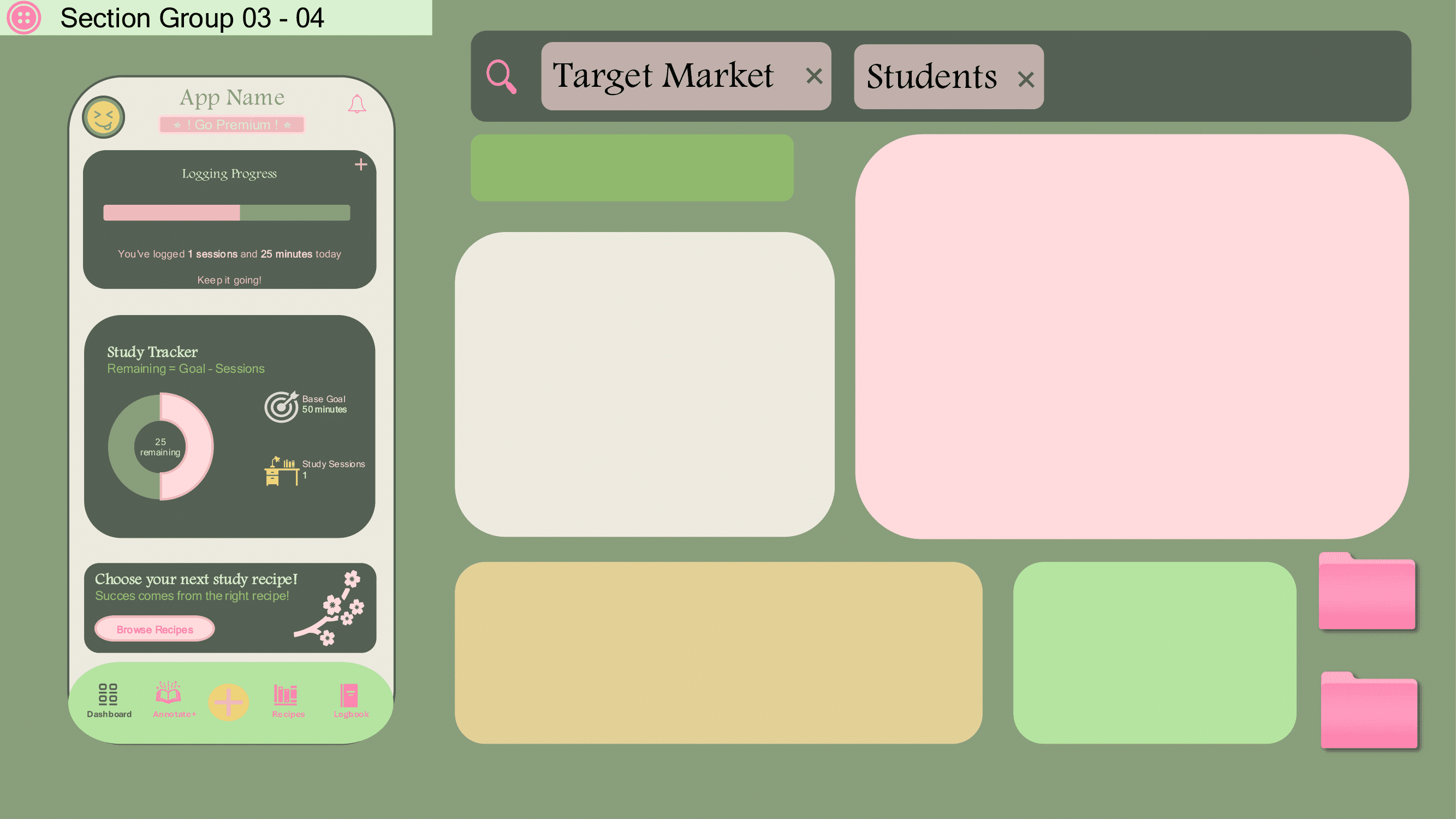
At first, I had two different ideas: a “study habit recipes” concept inspired by MyFitnessPal’s recipe tracking, and a collaborative annotation app for coursework and annotation. My group liked both, I merged them into one cohesive experience, a study tracker that motivates users to stay consistent and a community space where students share notes and study guides.
Creating a space where students actually help each other learn.
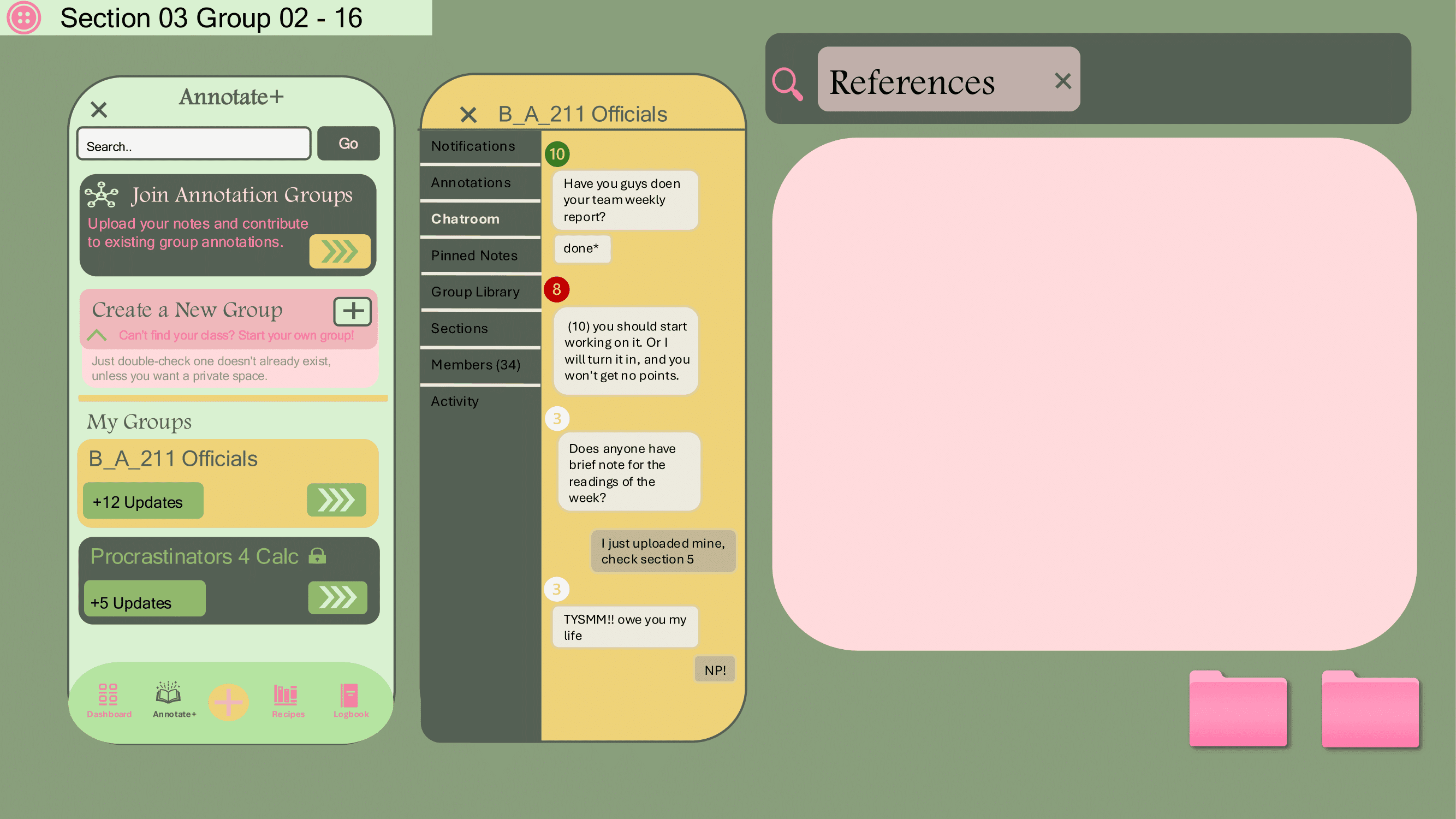
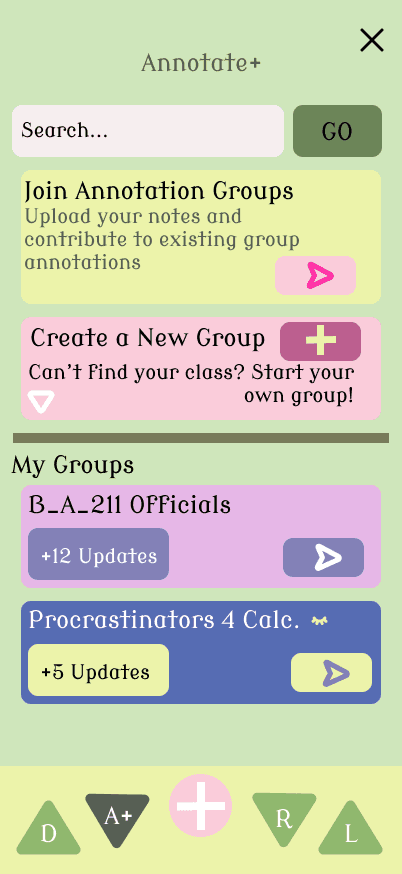
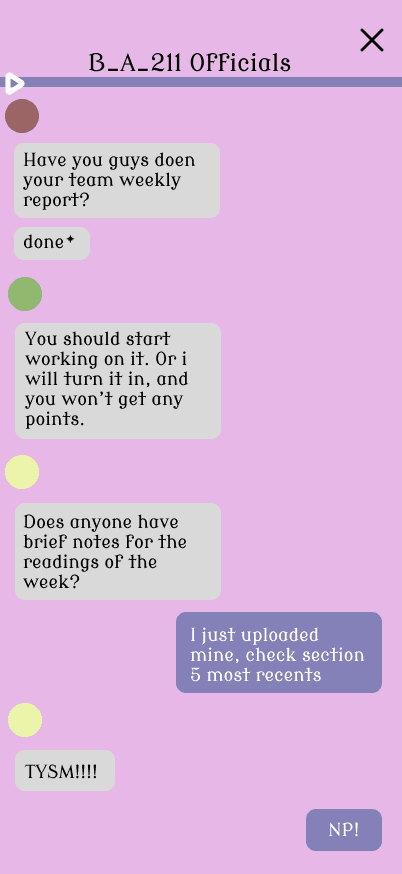
The core problem I wanted to solve was the lack of platforms made purely for students to share academic content and collaborate in real time. Most study tools are either solo-focused or too general. StudySync fills that gap by letting students join course-based groups, upload and access notes, and chat in real time, while still encouraging contribution through a “give to get” system that keeps the community active.
Building it screen by screen with interaction in mind.
Because this was my first Figma project, I designed it intuitively, one screen at a time. I focused on how each page felt and functioned before moving to the next. Prototyping as I designed helped me refine the experience in real time and see how the flow came together naturally. I wanted it to feel “obvious”, like users could understand what to do without reading instructions.
Making it flow like a real app, not just a prototype.
I used Figma components, variants, and smart animations to make the prototype feel real and responsive. At first, it wasn’t fully animated, but as I learned more, I kept improving transitions and usability. I constantly previewed it to test button flows, screen logic, and overall clarity, treating every interaction like a mini usability test.
Study recipes for habits, Annotate+ for collaboration.
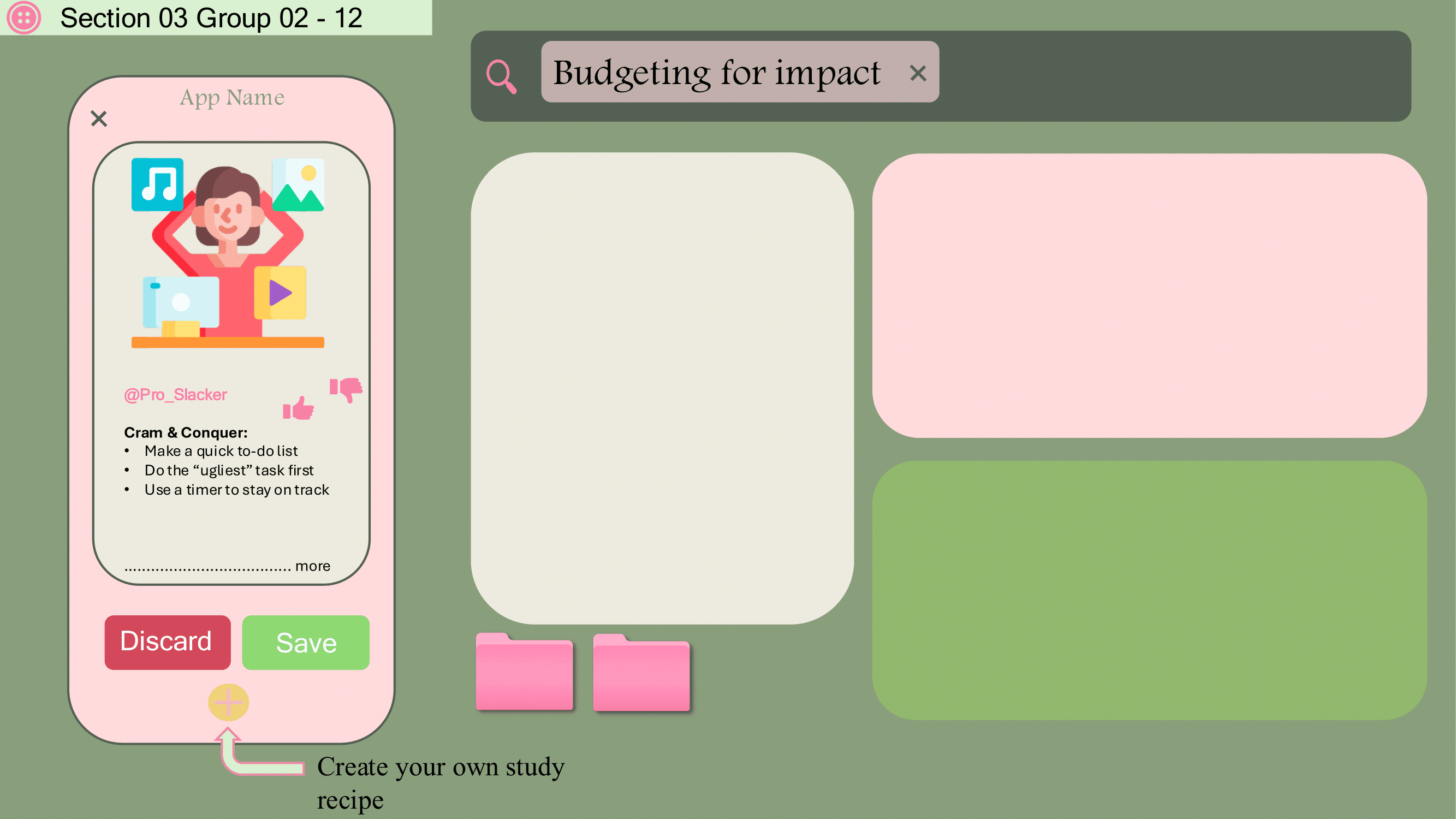
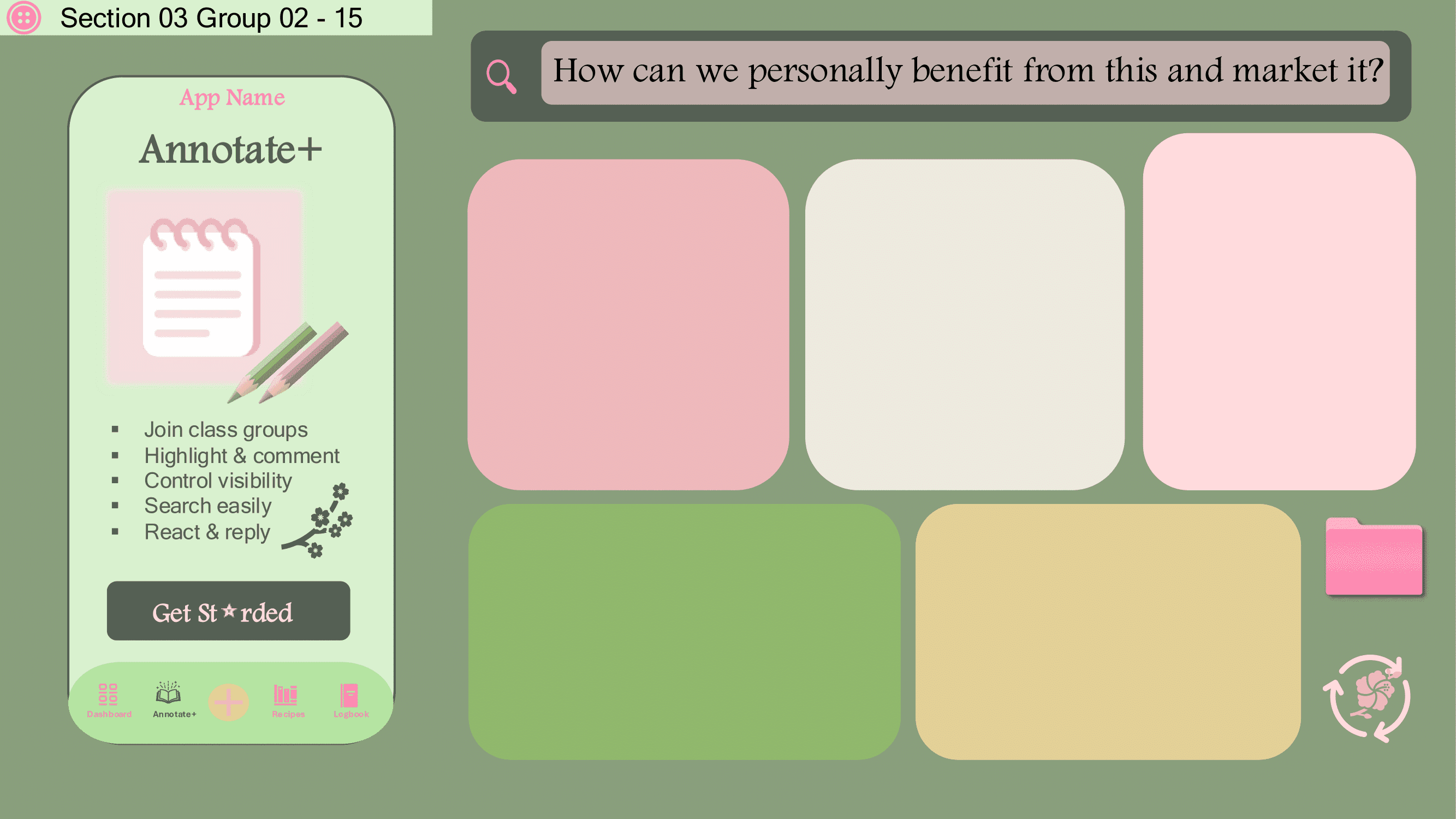
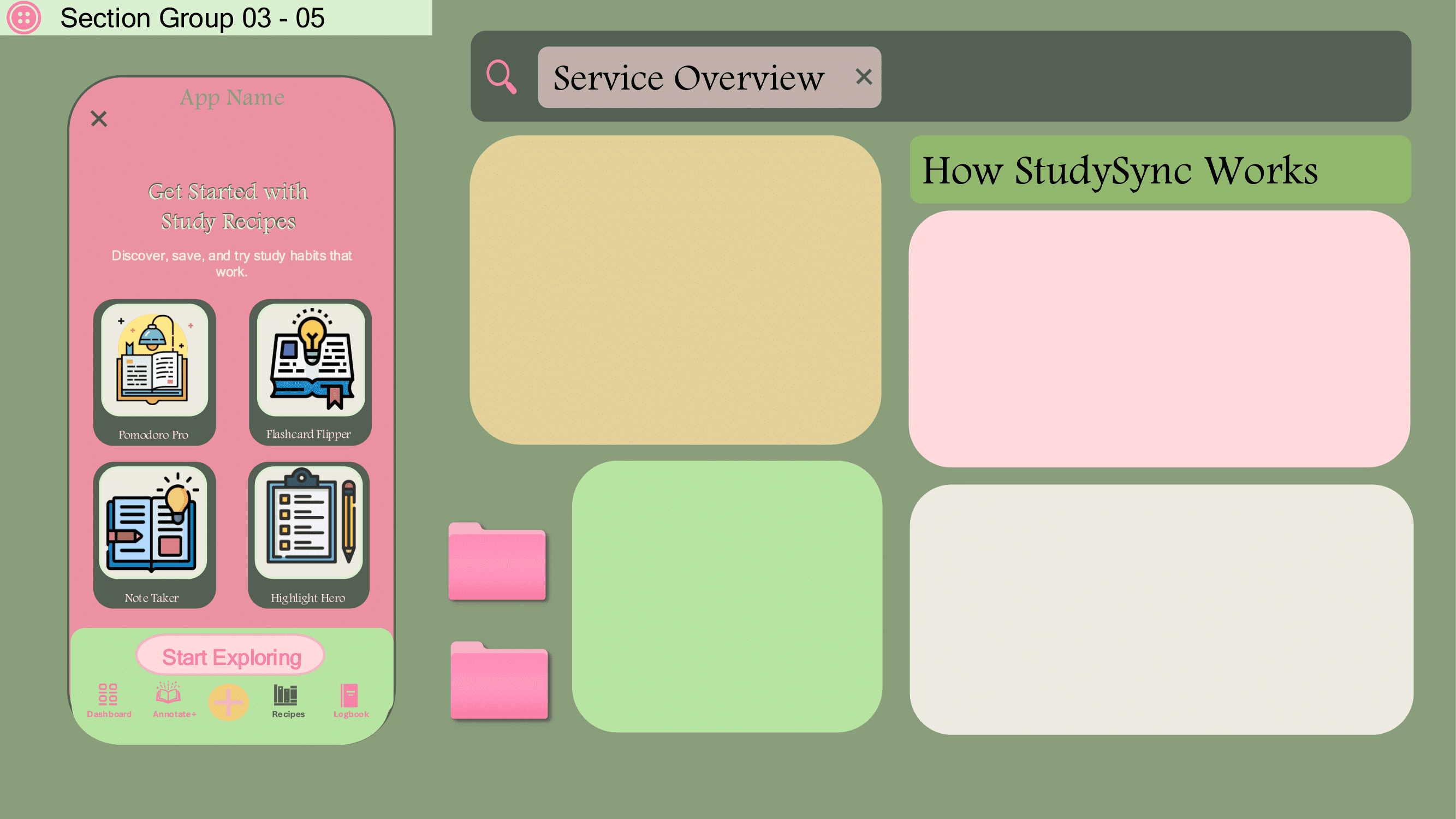
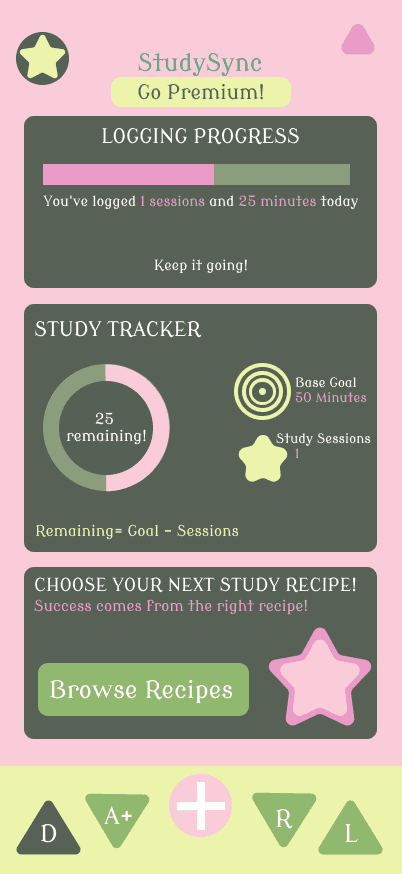
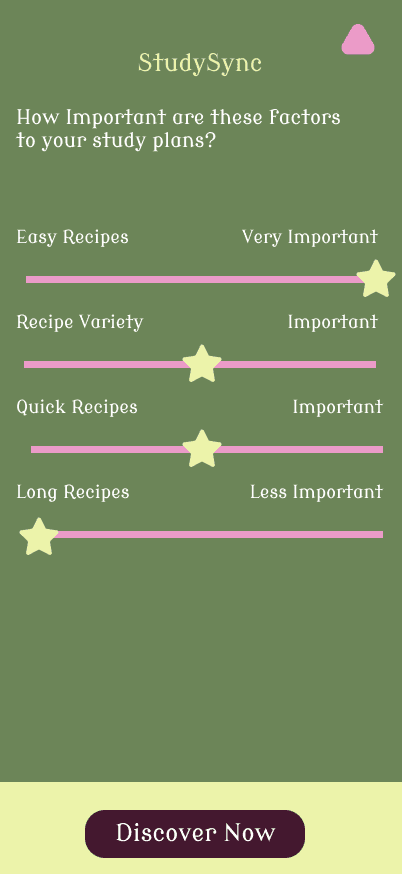
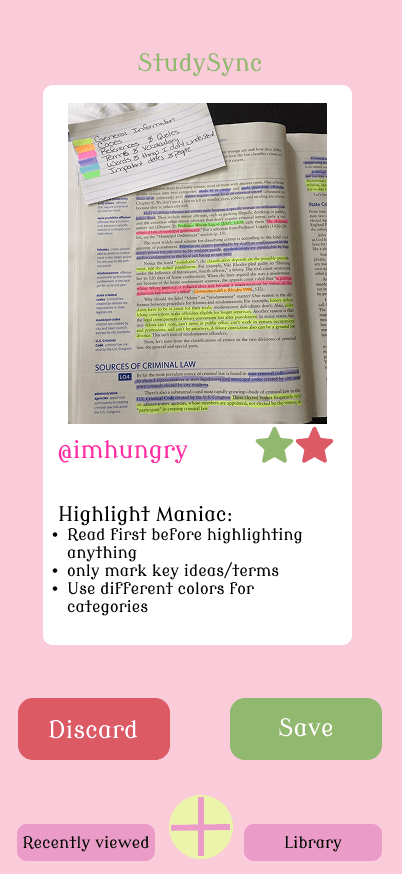
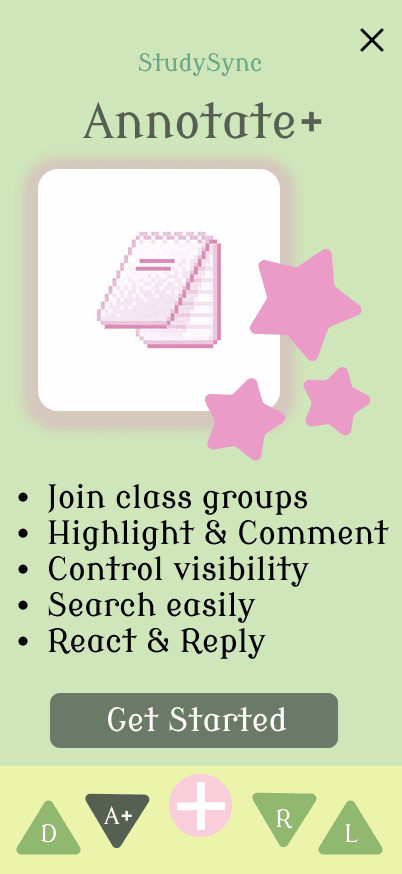
The free version focuses on Study Recipes, quick, study tips that users can save or discard, inspired by MyFitnessPal’s recipe suggestions. Annotate+ (the premium feature) expands the app into a full collaboration space where students can join or create study groups, upload their own materials, and chat within their course communities.
Design With Purpose
StudySync taught me how to design with both creativity and structure. I learned to balance aesthetics with usability, to think through user flow before focusing on visuals, and to use Figma as more than a design tool as a way to think. It showed me how even a personal, class-based project can turn into something that reflects real UX principles and the kind of designer I’m becoming.
studysync

loading gif here…


⠀⠀⠀⠀⠀⠀⠀⠀⣀⡤⣒⡦⢄⠀⠀⠀⠀⠀⠀⠀⠀⠀⠀⠀⠀⠀⠀⠀⠀
⠀⠀⠀⠀⠀⠀⠀⣰⡟⠉⠁⠙⢷⡵⡄⠀⠀⢀⡔⠊⡭⣵⡢⡀⠀⠀⠀⠀⠀
⠀⠀⠀⣀⡤⡶⠰⠋⠀⠀⠌⢀⡘⢻⣼⠀⣰⠛⠉⠀⠐⠈⢻⣼⡄⠀⠀⠀⠀
⠀⢀⣾⡛⠰⠋⢀⠠⠈⠀⠄⠂⢀⢺⣽⣤⡏⠀⠄⠁⠠⠈⠘⢈⠇⣀⠀⠀⠀
⠀⠘⣿⣷⣮⣄⡂⢀⠂⠡⠐⢈⠠⣍⣾⣿⠀⠌⠀⠌⢀⠐⠠⠀⠘⢷⣭⣄⠀
⠀⠀⠙⣿⣿⣯⣝⣣⠞⣤⢡⢆⡿⣽⣿⣟⡀⢂⠡⠐⡀⢂⠐⡈⣴⣿⣿⣿⠆
⠀⠀⠀⠀⠙⢛⠻⣿⣿⣿⣿⣿⣿⣿⣿⣿⣽⣧⣛⣶⣹⣮⣽⣿⣿⣿⣿⠟⠀
⠀⢀⡴⢂⠅⠈⠀⠀⠈⠉⠛⠻⢿⣿⣿⡟⡛⠛⠛⠿⠿⠿⠿⠟⢛⠛⠁⠀⠀
⢠⣿⠁⣉⠀⡐⠀⠂⠁⡀⠂⡠⢀⣿⣯⠀⠀⠀⠄⠀⠁⠀⠭⣐⠠⡀⠀⠀⠀
⠸⣿⣶⡽⣆⡄⠐⠈⡀⠄⠐⣀⣾⣿⣿⠀⢈⠀⠄⠈⢀⠂⢀⢘⣿⣿⡄⠀⠀
⠀⠙⢿⣿⣷⣻⢤⡁⠄⢂⣵⣾⣿⣿⣿⡀⠄⠂⠠⠁⣄⢢⣤⣿⣾⣟⡿⠀⠀
⠀⠀⠀⠀⢸⣿⣿⣿⣴⣿⣿⣿⡿⣿⣿⣷⣤⡈⣤⣷⣿⣿⣿⣾⣿⡿⠃⠀⠀
⠀⠀⠀⠀⠘⢿⣿⣿⣿⣿⣿⡿⢱⡏⣿⣿⣿⣿⣿⣿⣿⡟⠙⠉⠁⠀⠀⠀⠀
⠀⠀⠀⠀⠀⠈⠙⠻⠿⠛⠋⠀⢸⡇⠘⢿⣿⣿⣿⣿⡿⠁⠀⠀⠀⠀⠀⠀⠀
⠀⠀⠀⠀⠀⠀⠀⠀⠀⠀⠀⠀⢸⢣⠀⠀⠉⠉⠉⠁⠀⠀⠀⠀⠀⠀⠀⠀⠀
⠀⠀⠀⠀⠀⠀⠀⠀⠀⠀⠀⠀⠐⡞⡄⠀⠀⠀⠀⠀⠀⠀⠀⠀⠀⠀⠀⠀⠀
⠀⠀⠀⠀⠀⠀⠀⠀⠀⠀⠀⠀⠀⠹⣿⡄⠀⠀⠀⠀⠀⠀⠀⠀⠀⠀⠀⠀⠀
navigation